
Stop Burning Tokens. Start Building Systems.
Do you ever feel like you hit Claude Code limits within 30 min? You’re not alone. Most people are using AI coding tools the wrong way. I'm sharing the setup that makes it hard to reach those limits.


What is a coding agent?
Coding agents are something incredibly powerful. If you’ve used Claude Code, Cursor or Codex, you know what I’m talking about. Also, you’ve probably realized how quickly you can reach those token limits, even if you “haven’t” used the assistant so much. And you’re not alone.
I’m sharing how professional AI Engineers use their coding assistants, how to properly do multi-agent orchestration without the hype, and the setup that makes it hard to reach the $20/month subscription limits (and allows you to have unlimited usage with local models).
Yes. You’ve read it right. Even when using my coding assistant all day long I struggle to reach my token limits.
Today’s newsletter is divided into two sections. In the first section I explain the current status-quo of coding-agents, why we hit usage limits fast (i.e. why the cost relative to the usage has been increasing). In the second section I’ve created a step-by-step tutorial on how to use the coding assistants more efficiently (not only workflows, but package extensions, installation, among others) so that we can use them for longer (and up to unlimitedly, like I just said, running local models).
Before I continue, and before I make the mistake I usually do when talking about these things, let me define some concepts so that you know what I mean throughout this newsletter.
Model Provider: This is the company that develops the LLM models we use. For example Anthropic, OpenAI, Google, etc…
The Model: These are the actual LLMs that the model providers spend months and tons of resources training and fine-tuning: Opus 4.7, GPT-5.5, Gemma 4, Composer 2.5, etc…
The Harness: This is where the model lives. It’s the environment with the tools (read, grep, etc.), system prompts, MCP connections, and more, that each model provider develops for their models to live in: Claude Code, Cursor (IDE), Codex CLI… This is, in essence, the coding agent.
Most people use “Claude Code” or “the model” to refer to the last three concepts interchangeably. The same thing has happened with the word “AI” itself. Since the boom started, everyone has been throwing terms like AI, agent, model, reasoning, automation, fine-tuning, and workflow into the same bucket, often without really knowing what they mean.
The result is semantic diffusion: words get repeated so much, and applied to so many different things, that they slowly lose their precision.
And that matters, because if we don’t separate the model from the harness, we can’t properly understand where the cost, latency, limits, and productivity actually come from. So now that we speak the same language, we can continue.
The Status Quo of Modern AI Coding Tools
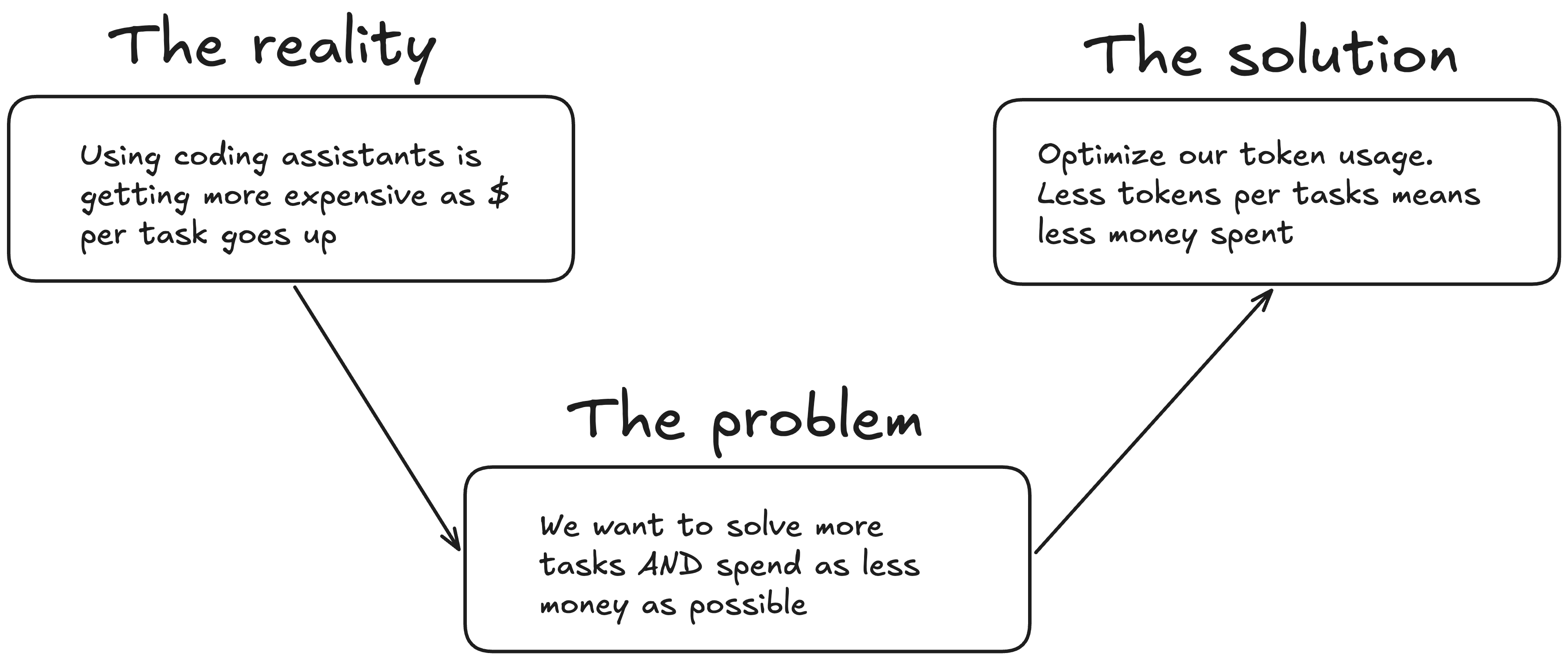
Model providers build harnesses first and foremost to create a better products. After that, they have mainly 2 things in mind:
Make money
Get more clients (so that they can make more money)
It’s a classic trade-off: providers need to maximize revenue while retaining as many users as possible.
This creates a problem where optimizing one objective might worsen the other one, and vice-versa (if you make more money by increasing your subscription prices, you could lose users that want minimal costs).
I drew this on Excalidraw so that it’s more clear:
And many things play a role into that: model quality, harness quality, server size, marketing strategy, pricing, among others. I came up with a formula for this, and asked ChatGPT to transform the equation of this problem into a 16th century handwriting-style piece of paper:
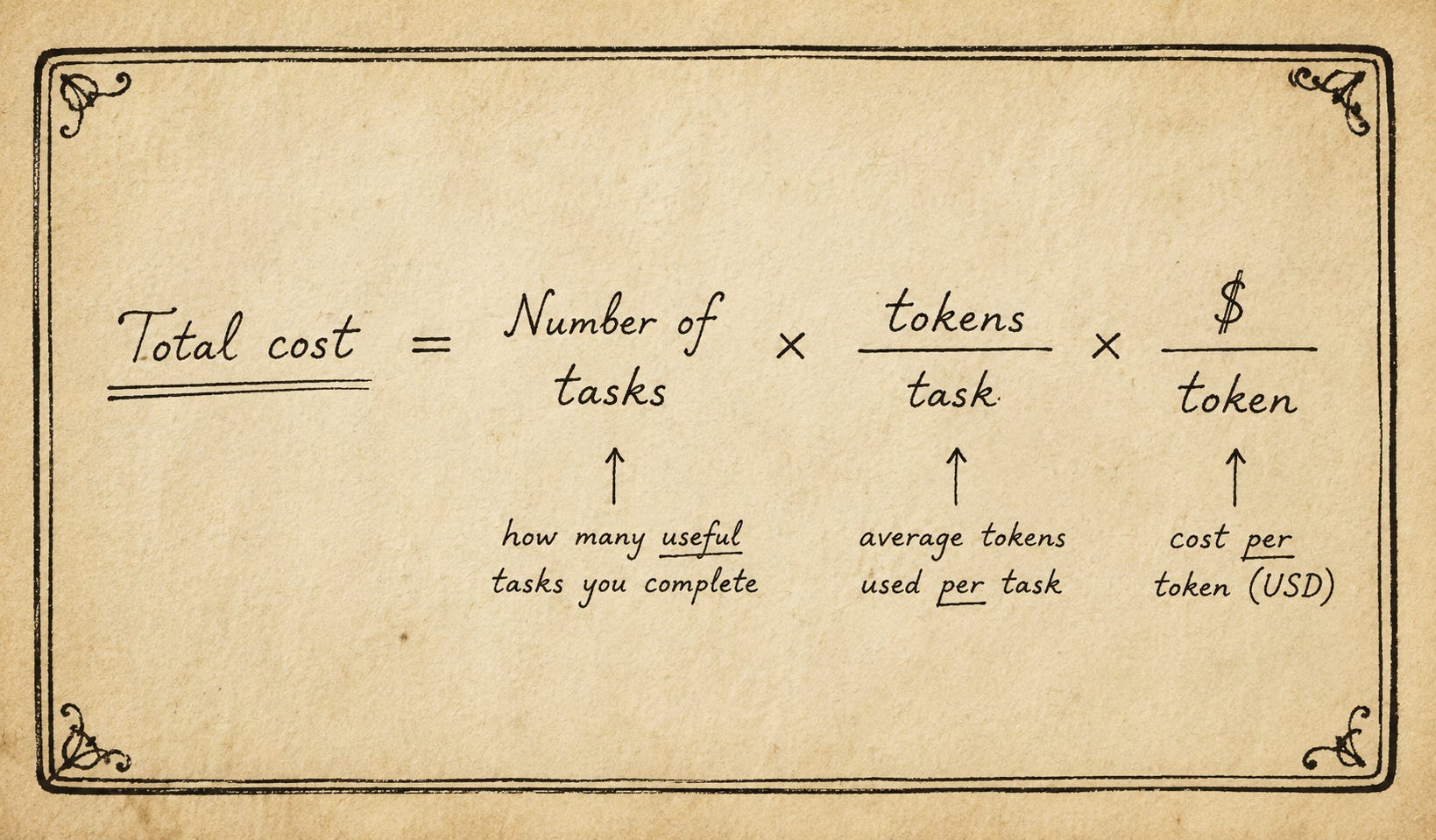
So, in order to compare different harnesses with each other, we normalize that equation (divide by) number of tasks, so we get total cost per useful task. To minimize this cost, the only variable we -as users- can minimize is the tokens per task.
Why am I reaching the token limits so fast?
AI pricing is becoming very difficult to sustain. End users (both individuals and enterprises) are already starting to feel the pressure. And from the provider side, the incentives are clear: usage has to be controlled somehow, otherwise they can’t satisfy demand.
Additionally, serving these models on GPUs in the cloud is extremely expensive. Not only that, but many modern AI-Startups are API-wrappers, which basically means they also call the models from their providers.
This means: a LOT of traffic. The big model providers need to be able to ensure they can deliver their services 24/7 all over the world, while reducing traffic from people that just use their models to play around/vibe code, and maximize the traffic from people that actually know what they’re doing: either AI startups or AI engineers that are squeezing the most out of this powerful tools.
So what’s the solution to that heavy-traffic issue?
Economics.
More demand, while supply remains constrained, means higher costs. Higher costs (which is the same as reducing the token limits per dollar) stops people from going full yolo-mode and blast a model provider’s server capabilities.
And how do big providers increase the total cost for end users? Well, they have many options. Here are two:
Directly increase the price per token. This is the simplest way of doing it, but it has negative market repercussions. The public sees price hikes, and just like with inflation, they get angry. So they move to the next best option (the competition) that is a bit cheaper, but still does the job. So model providers can’t just raise their prices mindlessly.
Context Injection. This means increasing the number of tokens per task a user consumes. When you ask a coding agent to “make this feature more efficient,” the model is not only receiving your sentence. What goes in is:
system prompt+loadedcontext + your request +tool schemas + tool results + previous conversation history = the amount of tokens that actually flow into the model.
Everything around your request is what I call context injection. And companies use this to make their harnesses more powerful, but it increases the number of tokens you use, without you realizing. Some of it is useful. Some of it is necessary. But all of it has a token cost.
And the provider’s incentive is not always the same as yours: they want the product to work reliably at scale; you want the most “useful” work per token.
This means you’re burning thousands of tokens without even knowing, which makes you reach those limits within 30 minutes of usage. But in reality, you can often get the same (and sometimes better) results if you know how to properly tweak a harness.
How do I know all of this?
Well, it just happens that I’ve been in the field for a while. I’m well beyond the “AI FOMO” line, so that I’m able to sort noise from useful information. So here is a list of some of the sources where I get my information from, and links that back the things I’ve said so far.
Alpha Signal
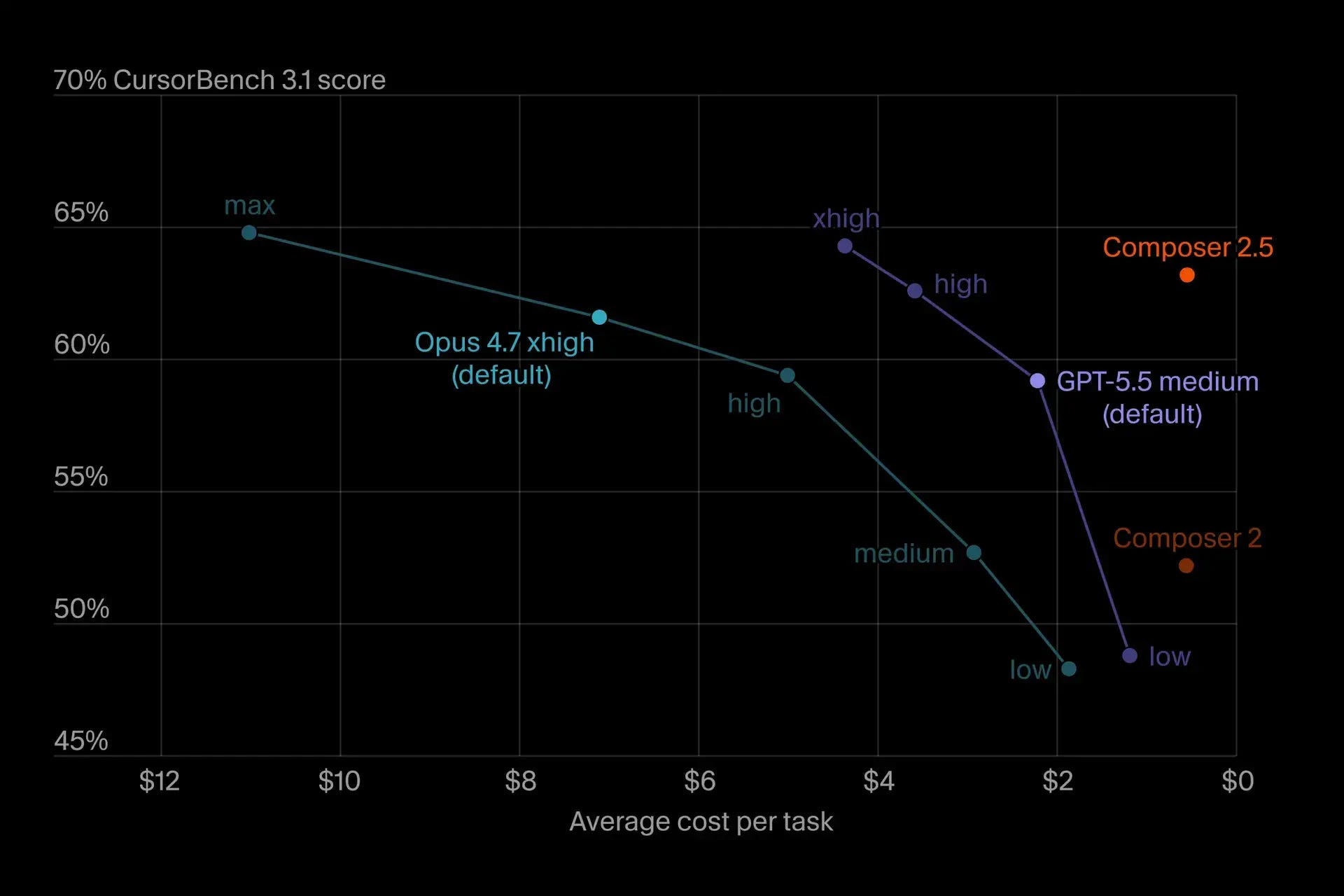
This is the only AI newsletter I follow. It’s written by smart people, and they are truly up to date with almost everything in the AI world. This image is from one of their newsletters, where they show how the price per task (another proxy for token usage) increases the more “intelligence” you want from a certain model (props to Composer).
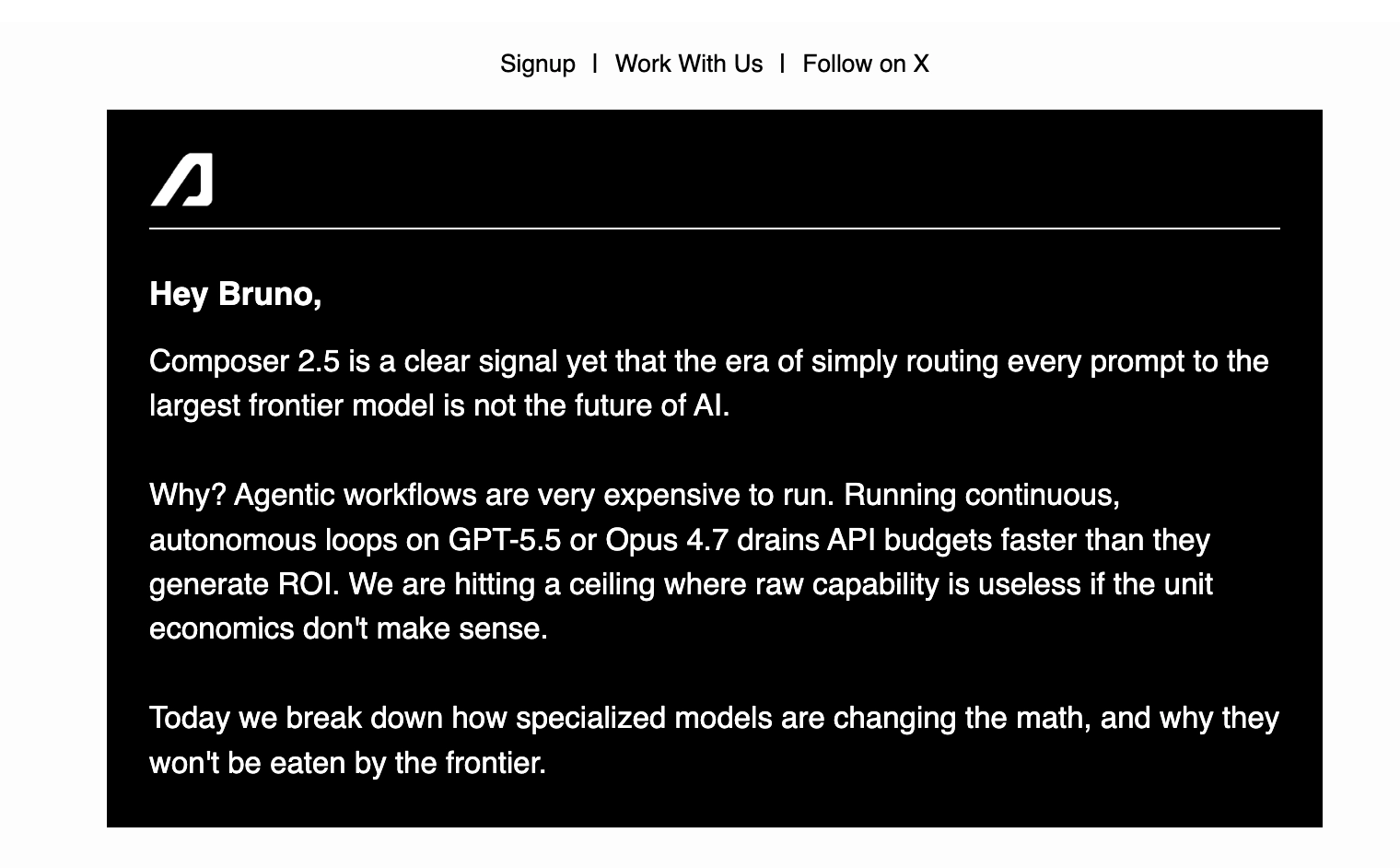
And here how they started that newsletter:
Accounts on IG
A while ago I decided that if I’m going to use social media, I at least want to get ads and posts that serve me. I like getintoai’s Instagram account, where they often back up claims with sources. One of their posts claimed the same as this tweet from Hedgie:
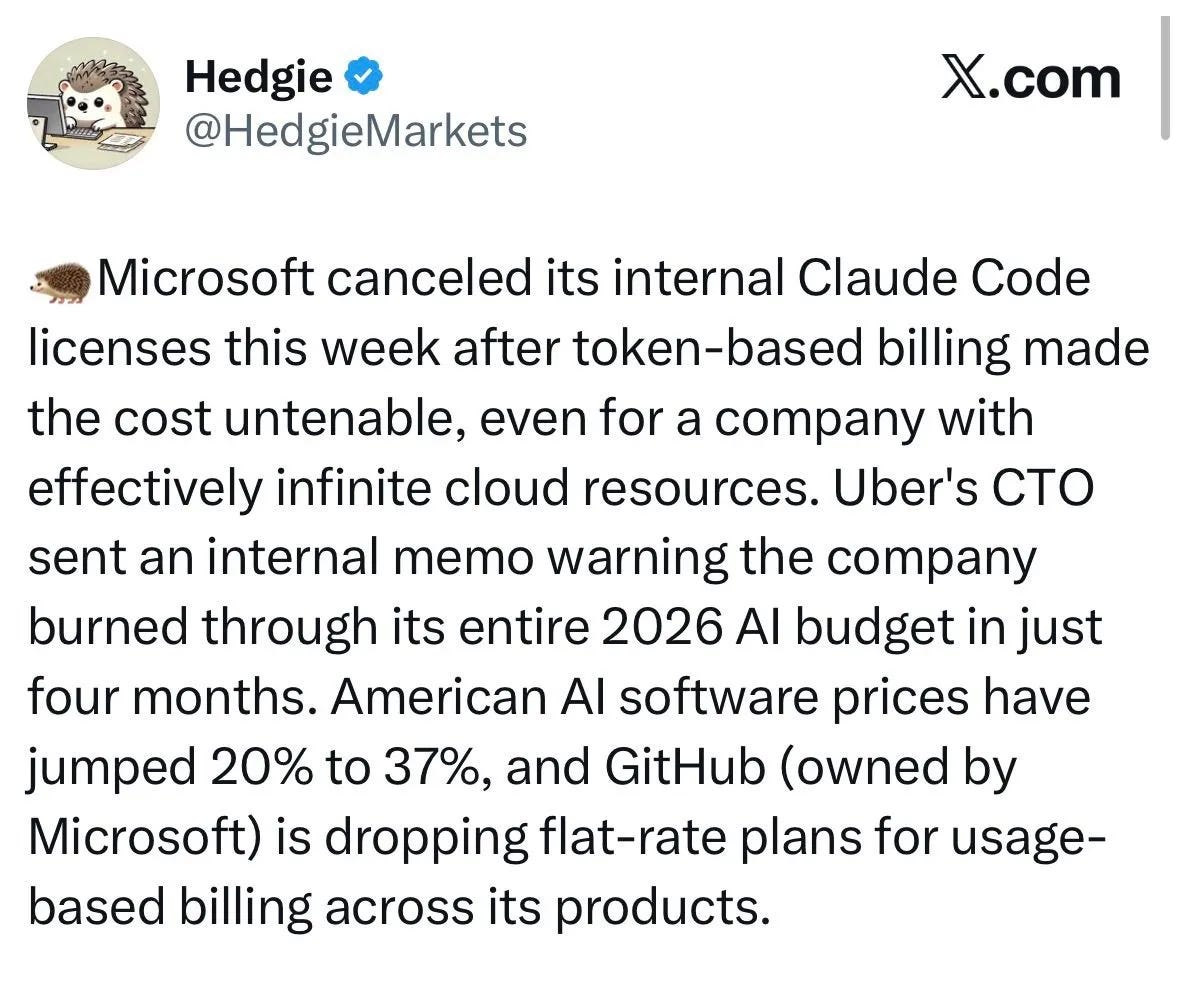
Another interesting instagram account you might want to follow is chatgptricks. Furthermore, I also got this post recommended from an account I don’t follow, but that backs the obvious: AI pricing is getting unsustainable, at least for the short future.
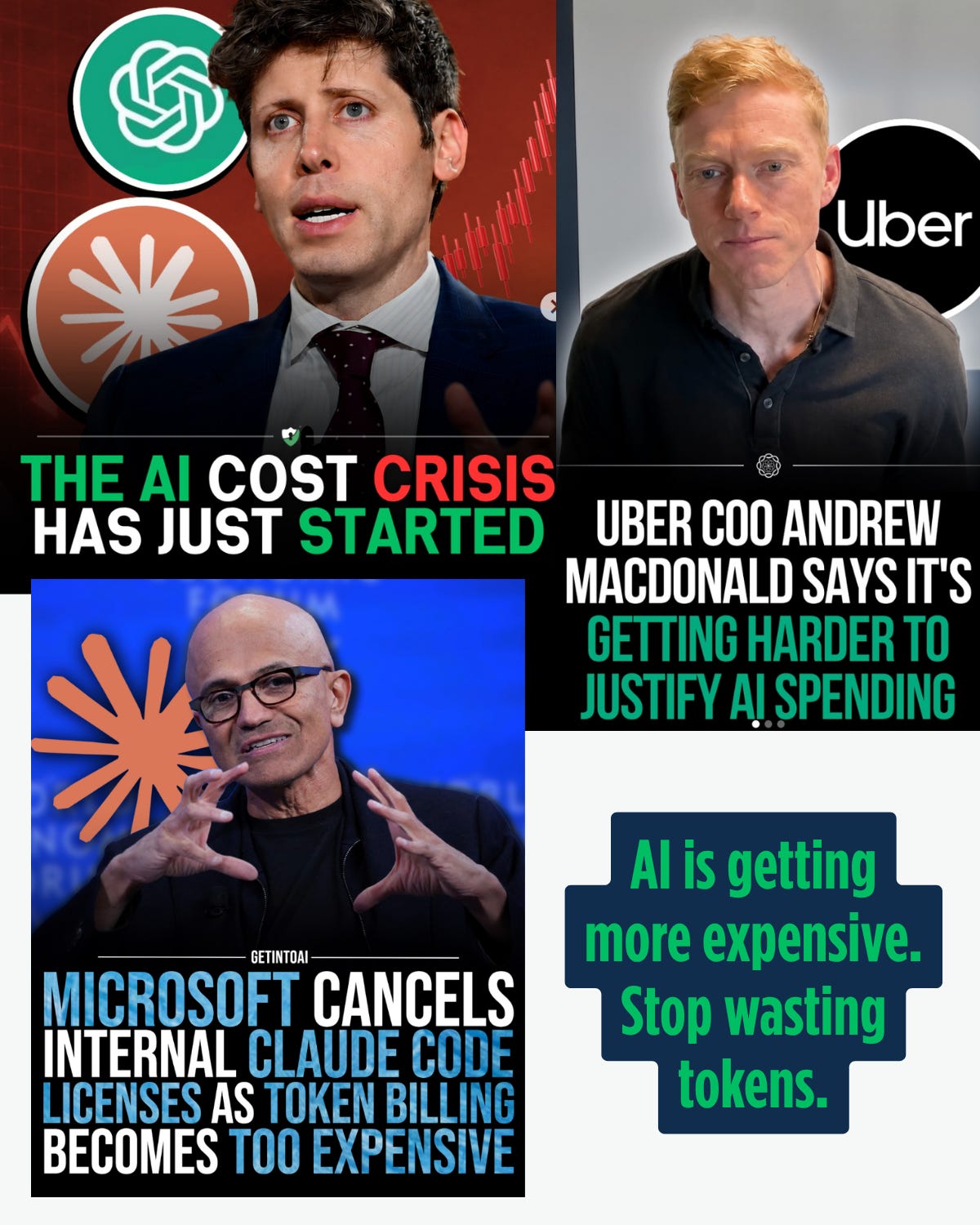
AI Engineer
Easily the best YouTube channel on this topic. If you haven’t heard of AI Harnesses until now, you can start with this video that is very ad-hoc for the second part of this newsletter:
And if you still don’t believe me, here is a screenshot of Claude’s pricing as an example. I was one of the first Claude Code users, and it’s crazy to think that just by having the right setup, we get to use the “older days” cheap, longer, cheaper rate limits of the big model providers.
Before moving forward, read that last blue box in the image. Anthropic themselves prove my point (remember the earlier point about context injection?).
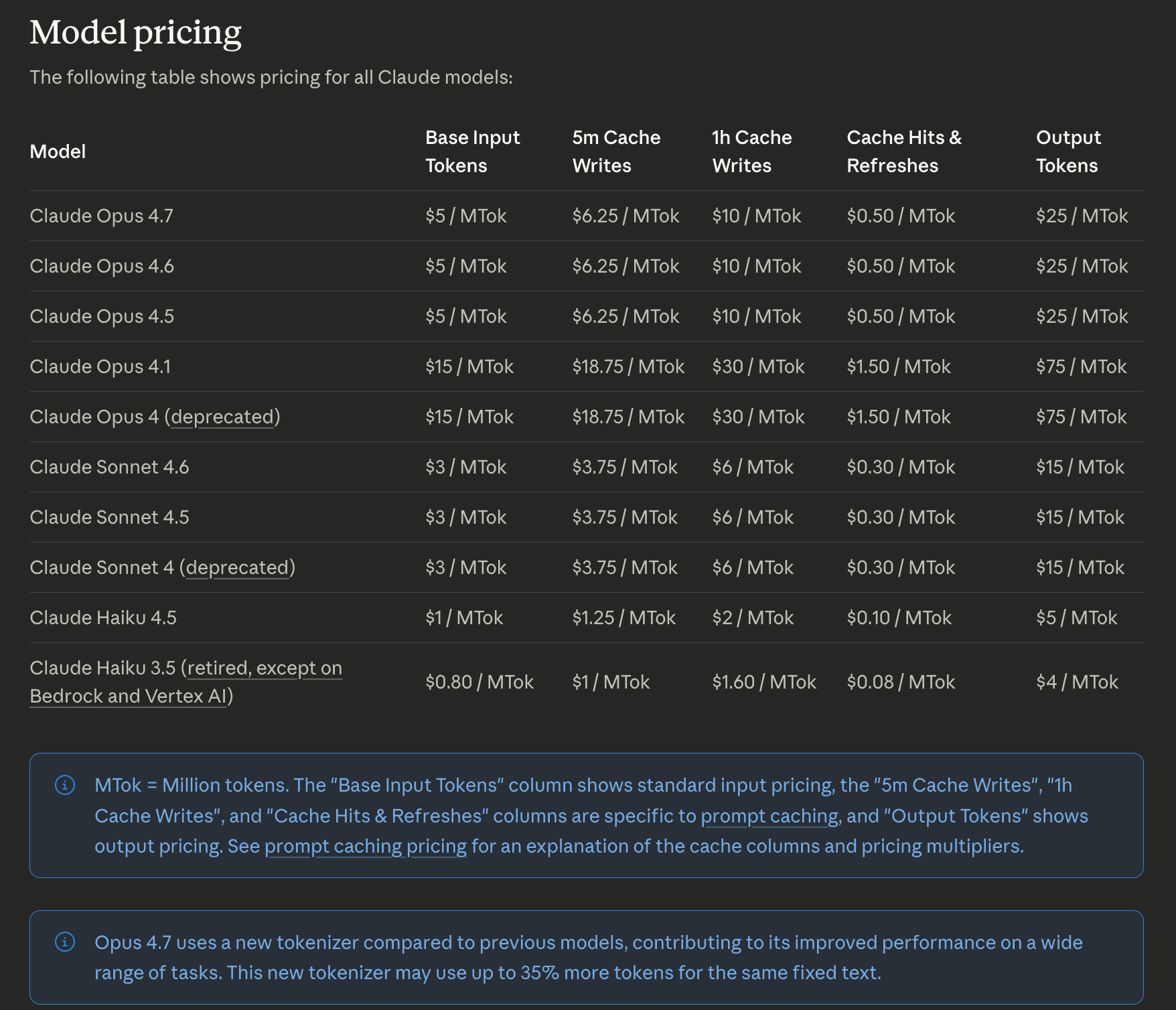
The solution: Optimize your token usage in four steps
First: change your harness. There are many harnesses out there that you can connect to the state-of-the-art models without having your context window explode with useless fluff.
Second: know the harness best-practices. Regularly compact your context window, set the thinking level to low or off (more on this down below, I always have it off). Here is how much money I’ve saved just by using the right harness + knowing what I’m doing:
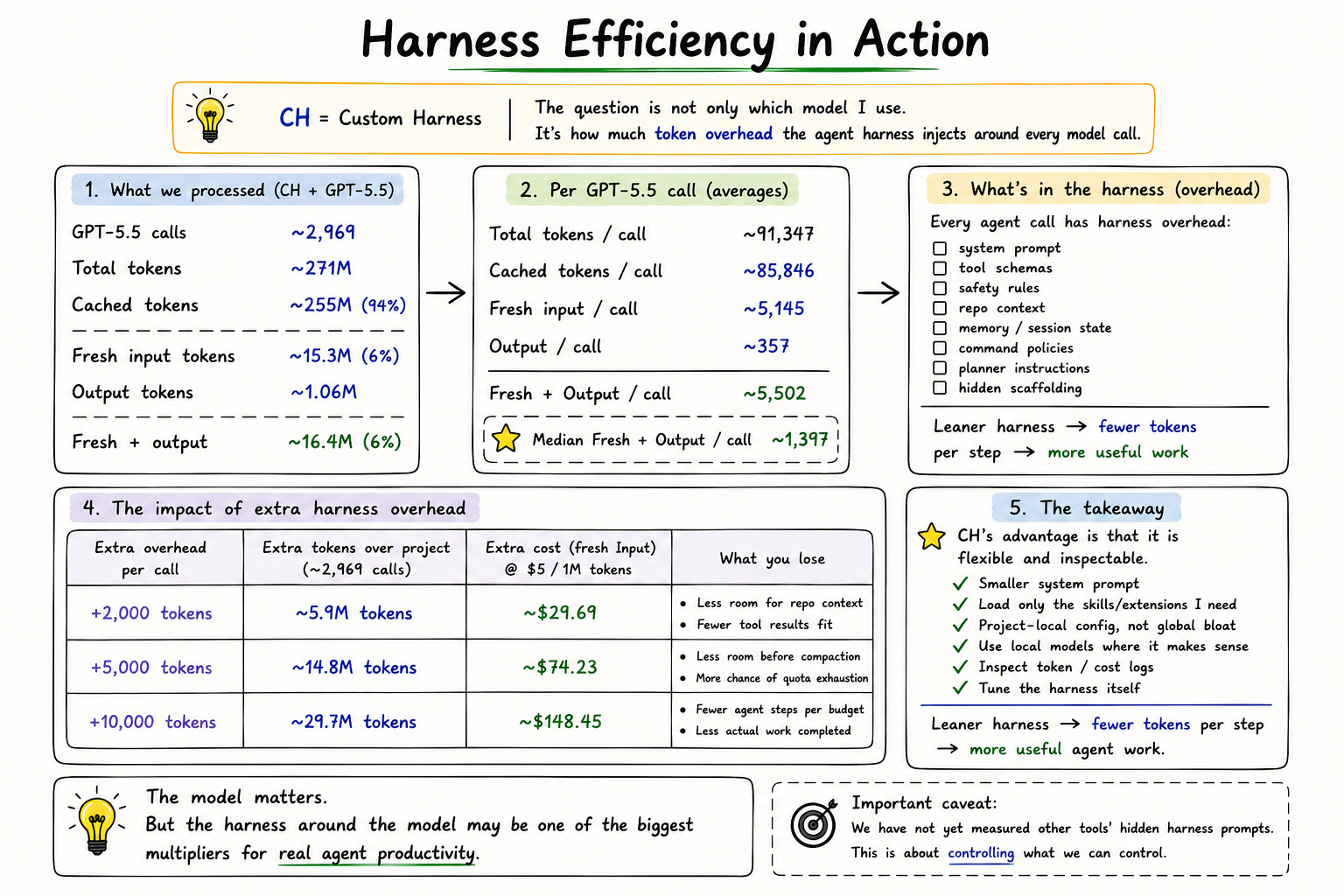
Third: Use your multi-agent setup meaningfully. Don’t just post on LinkedIn how cool you are by running an army of agents (which for me is an immediate red flag, it tells you’re just mindlessly wasting tokens and vibe-code your way through problems).
Fourth: Connect your harness to a local model. This is not so easy/necessary because you need enough compute on your machine, which means an initial investment. I personally think it’s totally worth, and in this tutorial I will also show you which local models I run locally (fully offline if I want to) on my MacBook Pro, with the corresponding setup.
Here is an interesting podcast from a little incubator out there called “Y Combinator”. It’s a nice complement to the first part of this newsletter.
One last thing before we start with the tutorial: What are the benefits of investing 10 min reading this?
Besides the fact that your $20 Codex subscription can start feeling much closer to the $200 tier, the workflow I’m sharing is what separates people who simply tell the harness “what they want” from people who actually engineer the system around it.
It’s the summary of hundreds of hours of research and trial and error, so you don’t have to do it yourself.
Additionally, in a world where typing code is no longer the bottleneck, you need other ways to stand out. This workflow will force you to learn how think in systems, while saving you time and tokens (ergo money).
Since we don’t need to write much Python or TypeScript anymore, people that will truly stand out are the ones that know how to talk to the machine (i.e. your computer). SSH, terminal usage, bash-scripting, git commands, etc. This tutorial is heavy on that end.
What I like about the harness I’m using is that I can see and manage what gets injected into the context, while also customizing it enough so that it feels like my own harness.
I’ve been using it a lot, tried many different extensions and packages, and created this setup to minimize token usage while maximizing code-output efficiency. That’s the secret behind Nutrition Mate, and how we were able at Mirai to produce a top-quality app that runs AI on-device in record time.
So without further ado…